

LoRaWAN® Wireless Tri-Axis Inclinometer ALPHA-INC-SK-10T
Satevis® Alpha-INC SK 10° is a compact, battery-powered wireless tri-axis inclinometer featuring selectable ±10° and ±85° ranges. Combining high-resolution tilt sensing with long-range LoRaWAN® connectivity, it is engineered for structural health monitoring (SHM), geotechnical surveillance, and smart infrastructure. Designed as an evolutive platform, Alpha-INC SK 10° supports sensor fusion via the Easy-Sense function to integrate external environmental sensors without site complexity. It ensures seamless compatibility with leading LoRaWAN® network servers (TTN, ChirpStack) and IoT platforms, as well as CommonSense® cloud software for actionable real-time insights.
PRODUCT VIDEO
HIGH-PRECISION TILT SENSING POWERED BY LORAWAN®
Engineered for Structural Health Monitoring, the Satevis® Alpha-INC SK 10° combines tri-axial MEMS precision, Easy-Sense sensor fusion, and long-range LoRaWAN® connectivity for autonomous multi-year stability monitoring.

Technical Specifications
Engineered for Precision Built for the Field
Explore the Satevis® Alpha-INC SK 10° LoRaWAN® Tri-Axis Inclinometer specifications, including measurement performance, radio connectivity, power, environmental limits, mechanical construction, and supporting configuration and data-logging features.
FIELD-PROVEN APPLICATIONS
PRECISION WIRELESS MONITORING ACROSS CRITICAL INFRASTRUCTURES
Engineered for demanding civil engineering, geotechnical assets, and maritime environments, Satevis® LoRaWAN® systems deliver autonomous, long-range telemetry where wired installations are impractical. Deploy ruggedized inclinometers and Easy-Sense sensor fusion nodes to capture micro-movements, ensure structural compliance, and trigger instant threshold alerts.

TELECOM & UTILITIES MONITORING
Prevent structural failure on telecom towers and utility poles with Satevis® LoRaWAN® high-precision inclinometers delivering 7+ years of autonomous verticality tracking and alignment.

BRIDGES & BUILDINGS SHM
Monitor bridge, viaduct, and building stability with wireless Satevis® Alpha-INC inclinometers. Detect pier tilt and differential settlement in real time via rugged Satevis® IoT Gateways.

TUNNEL & UNDERGROUND SHM
Track tunnel convergence, concrete vault deformation, and underground lining stability using high-precision Satevis® Alpha-INC tilt nodes and Easy-Sense™ displacement sensors.

WATER DAM & DIKE MONITORING
Ensure concrete dam and hydraulic asset integrity with Satevis® LoRaWAN® inclinometers and IP66 Easy-Sense™ joint meters built for long-range telemetry in harsh outdoor environments.
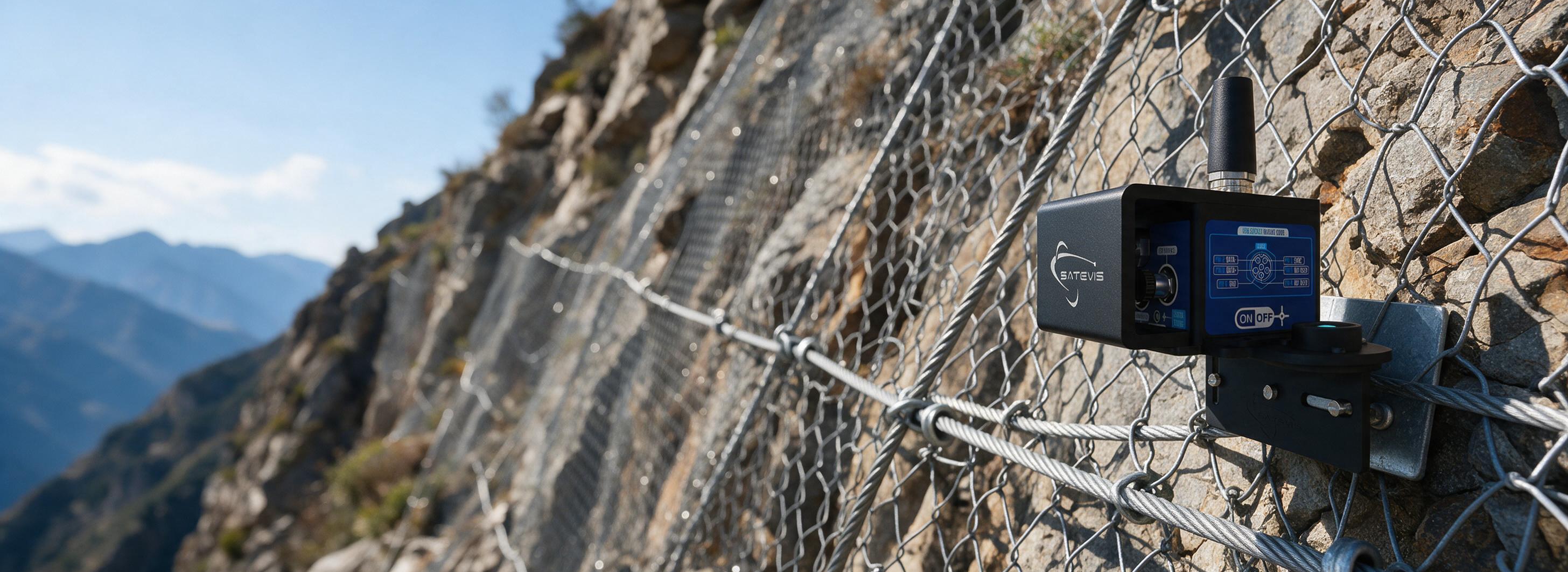
GEOTECHNICAL MONITORING
Monitor ground settlement, deep foundation works, and adjacent building stability on construction sites with wireless Satevis® Alpha-INC LoRaWAN® inclinometers.

CARGO SHIP MONITORING
Monitor vessel stability, hull deflection, and list/trim during cargo loading operations using wireless Satevis® Alpha-INC inclinometer nodes.
TECHNICAL DOCUMENTS
Engineering Resources Ready to Download
Datasheets, user guides, CAD models and configuration software for the Satevis® Alpha-INC SK 10° LoRaWAN® Tri-Axis Inclinometer, everything your team needs from specification to deployment.
OPEN SOFTWARE ARCHITECTURE
SEAMLESS CLOUD & LNS INTEGRATION
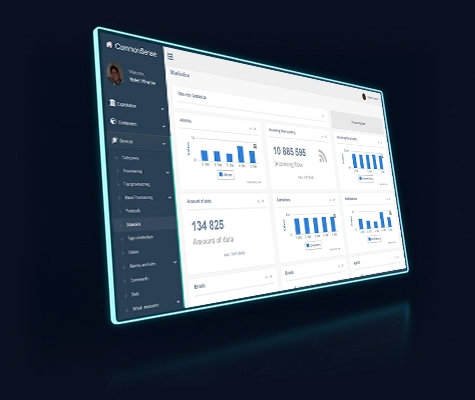
CONNECT TO ANY LORAWAN® NETWORK SERVER
Satevis® IoT solutions are built on an open ecosystem. Easily integrate your wireless sensor networks with the CommonSense LoRaWAN Network Server or any third-party cloud platform for ultimate data flexibility.
 Universal Cloud Compatibility
 CommonSense LNS Ready
 Secure Payload Decoding
 Free Java Scripts
Technical storyboard · Field procedure
THE “HELLO!” FUNCTION, STEP BY STEP
A contactless check of your Satevis® tilt sensor: from the magnet to the cloud, in six scenes.
-

Installation
After installing the Satevis® inclinometer, the field operator can check at any moment if the sensor is working properly.
-
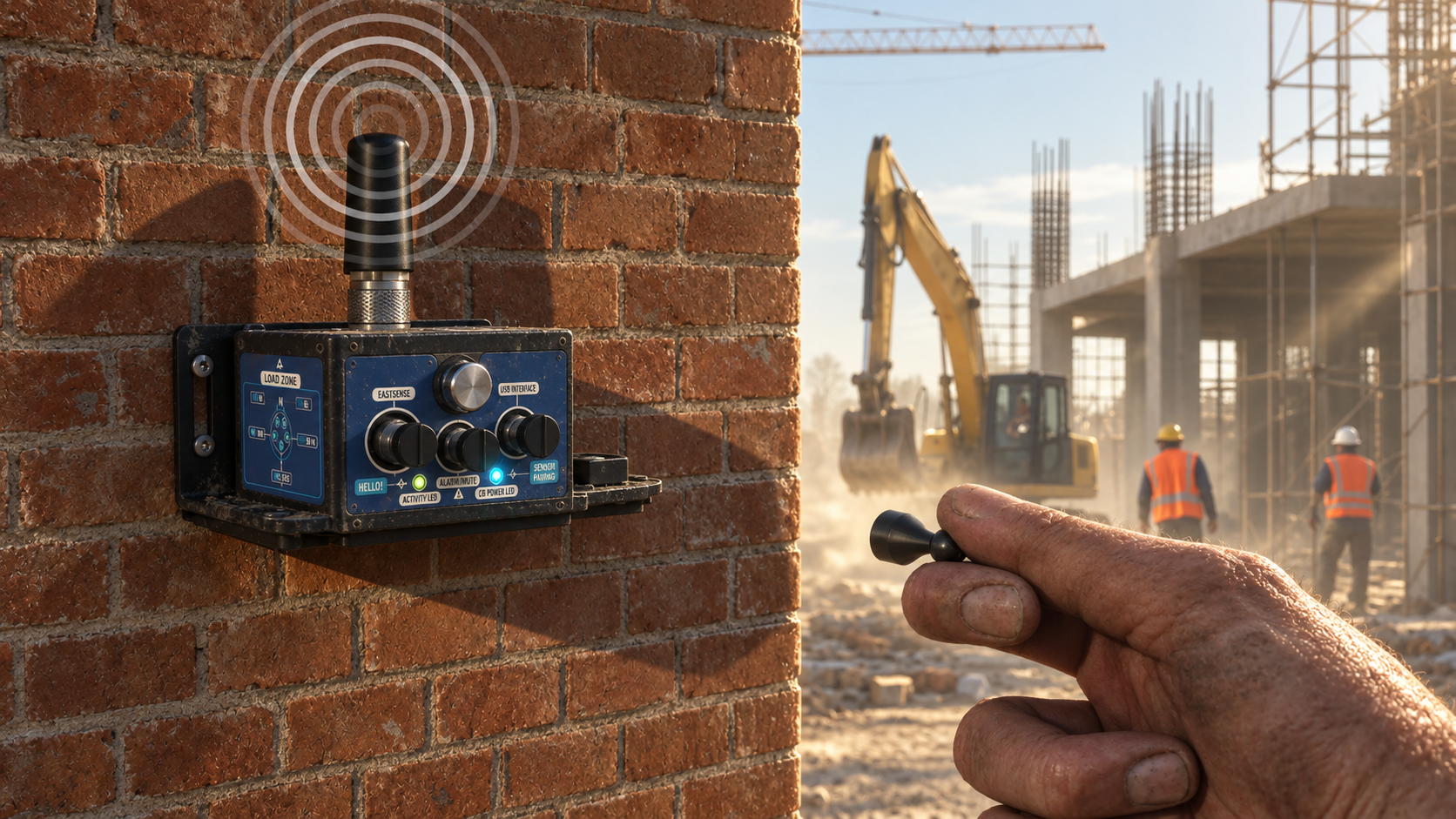
Magnet wake-up
By holding the magnet on the ‘Hello!’ label for more than 10 s, the sensor wakes up and transmits to the LoRaWAN network the data measurement, followed by the system diagnostic (battery status and network quality).
-
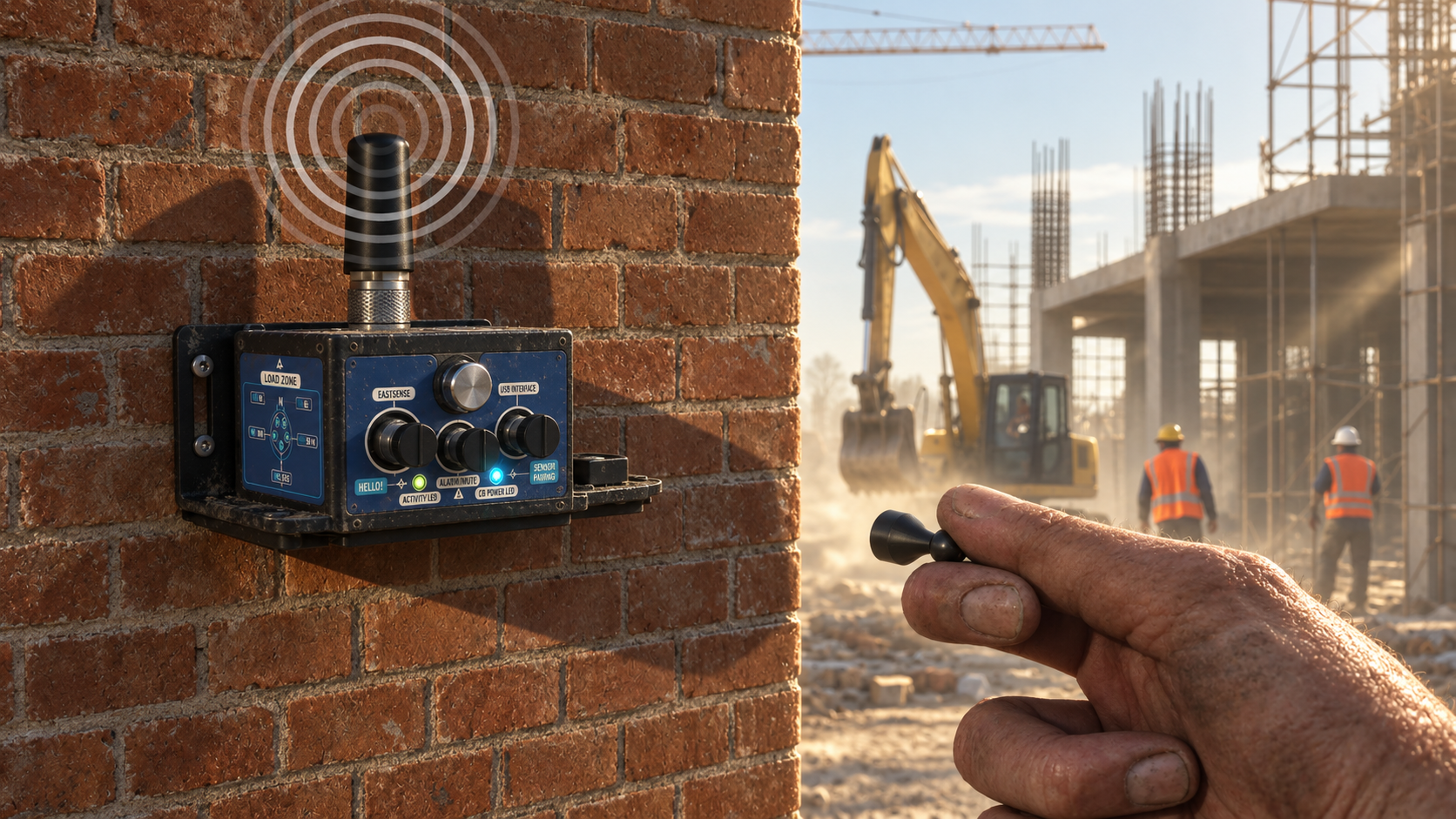
LED confirmation
The Activity LED blinks green, confirming that a data measurement is transmitted to the LoRaWAN network.
-
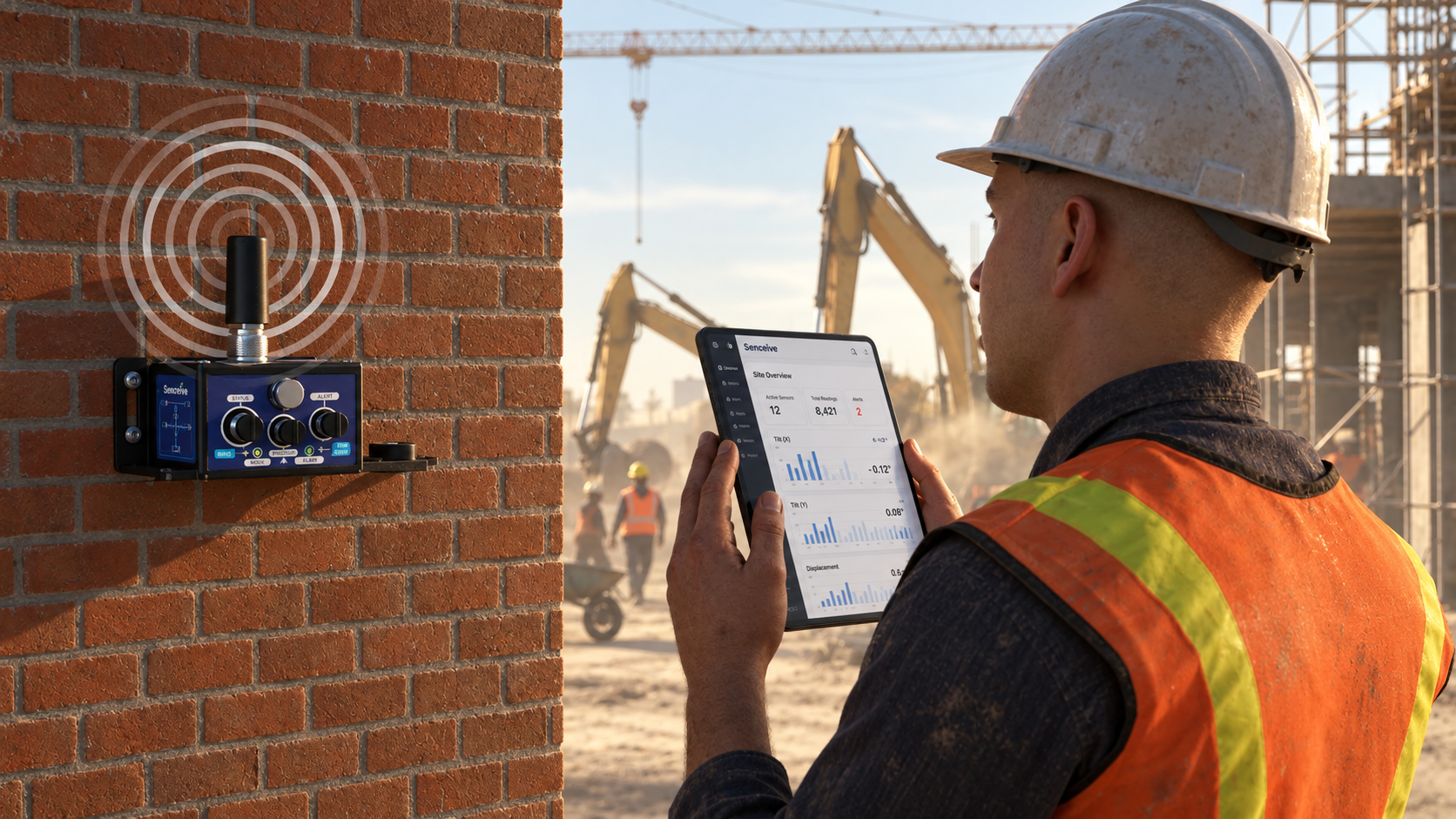
Cloud check
The field operator can check on Satevis® Cloud software (or a third-party cloud software) if his sensor is working properly.
-
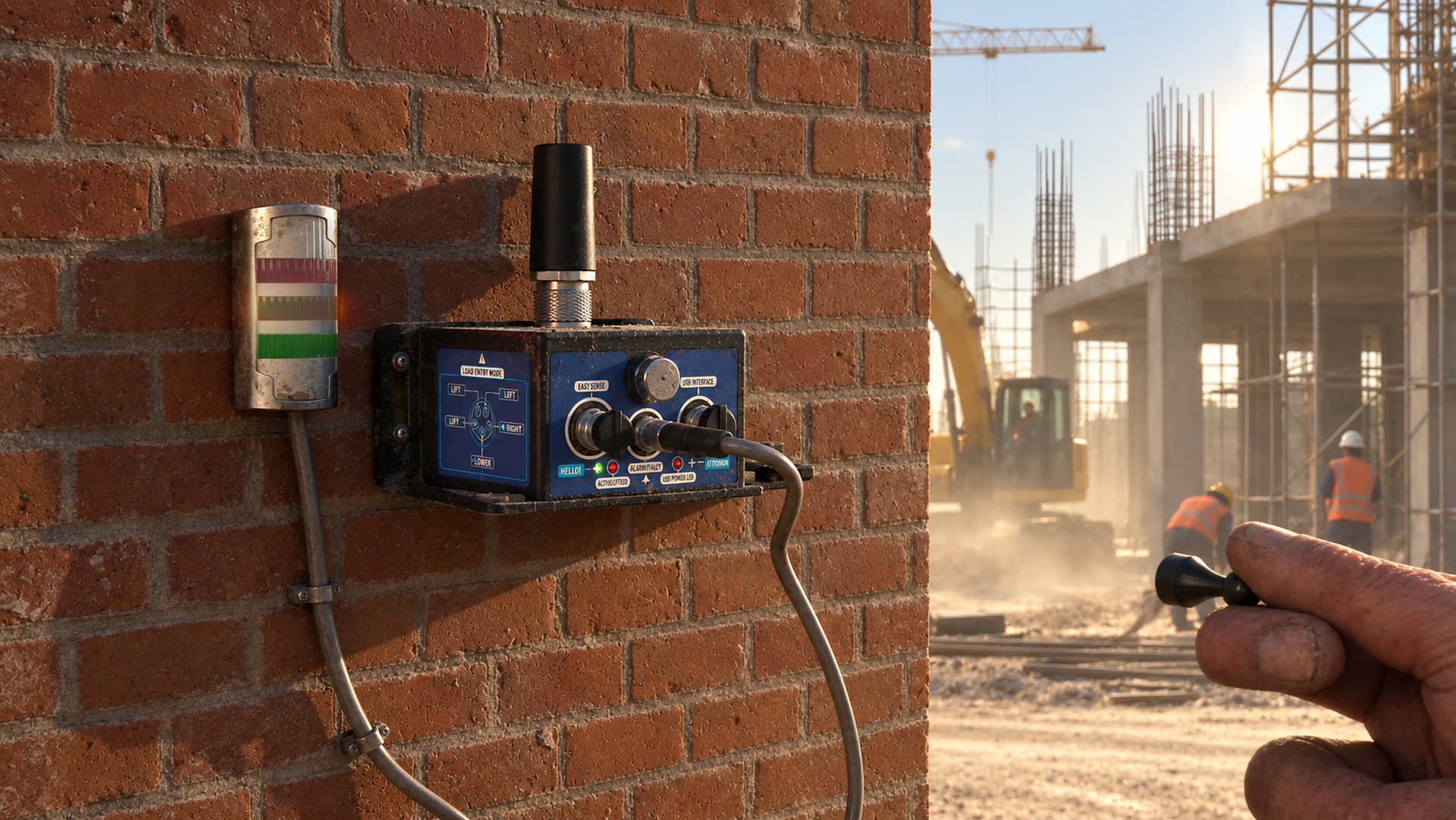
Alarm integration
When your Satevis® sensor is integrated with external alarm systems, the Hello function lets you test the connection.
-
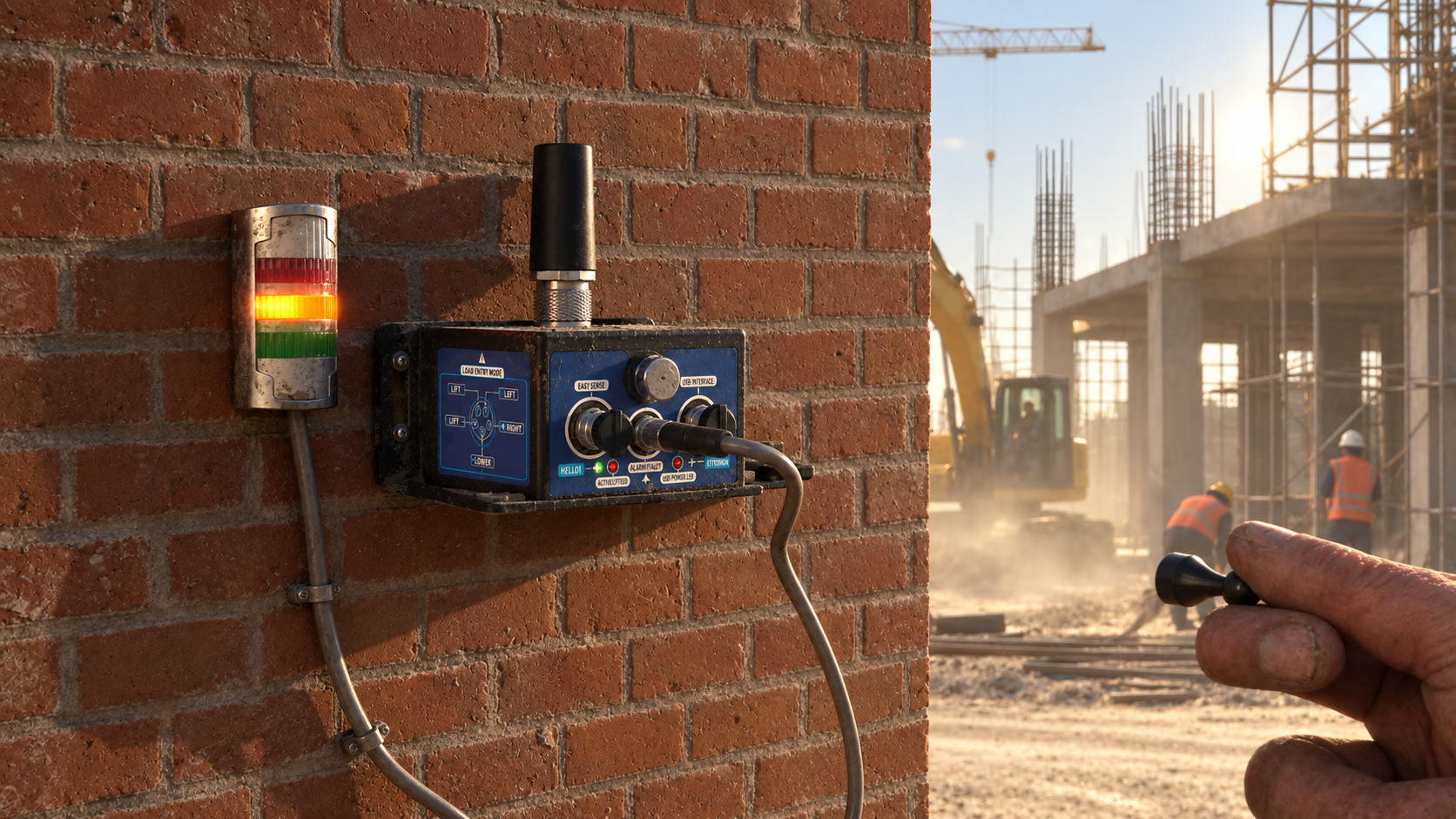
Pulse test
A short pulse is sent to the alarm output, ensuring proper functionality without triggering an actual alarm.
Technical storyboard · Field procedure
THE “SENSOR ZEROING” FUNCTION, STEP BY STEP
Zero-offset your Satevis® tilt sensor on X and Y axes in seconds: on site with a magnet, or remotely from the cloud.
-
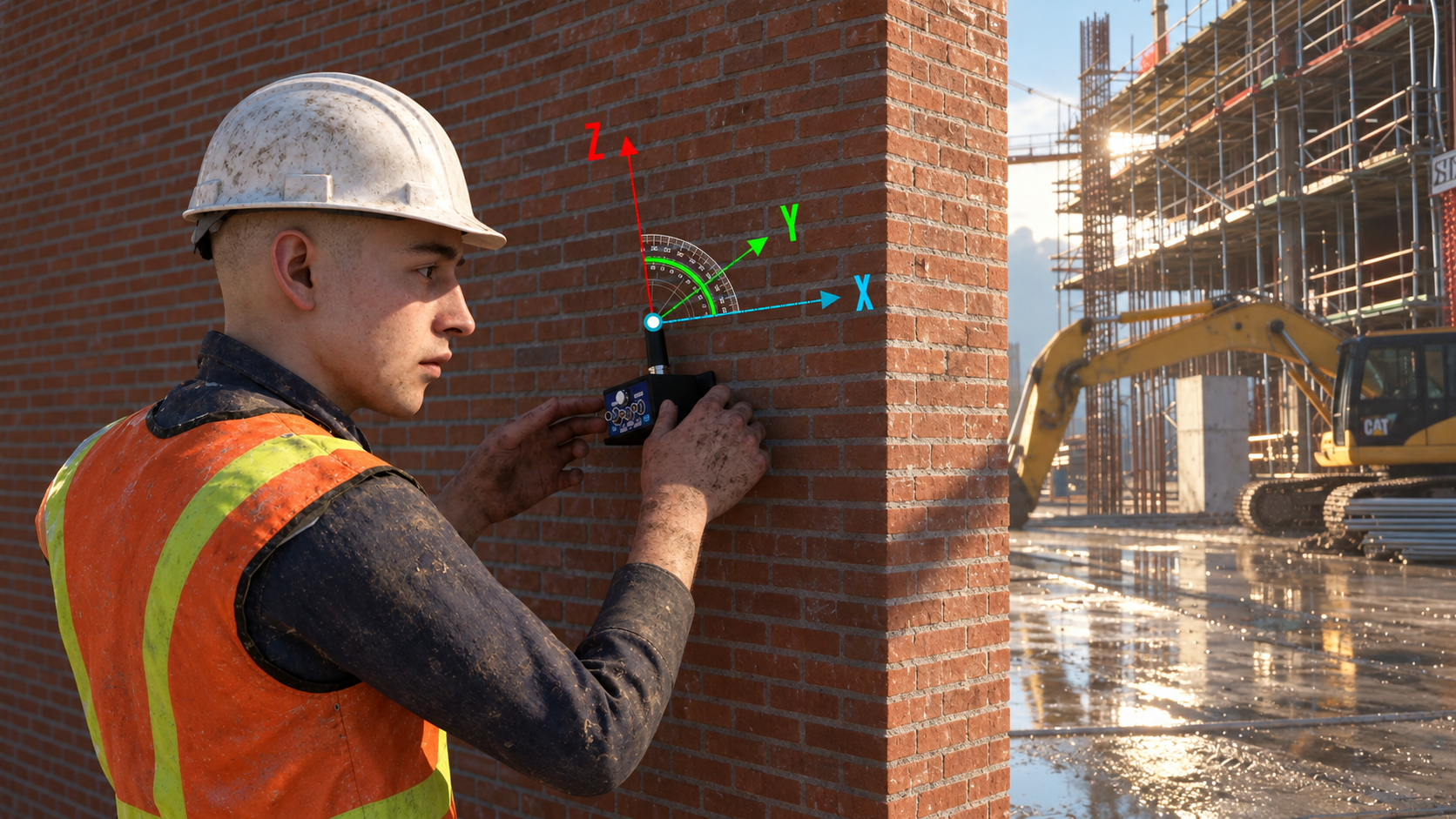
The challenge
Even if an angle bracket is used, it’s sometimes difficult to bring a zero-offset on both X and Y axes (when the Z axis is aligned with Earth’s gravity). In some cases, the field operator cannot spend too much time on this task.
-
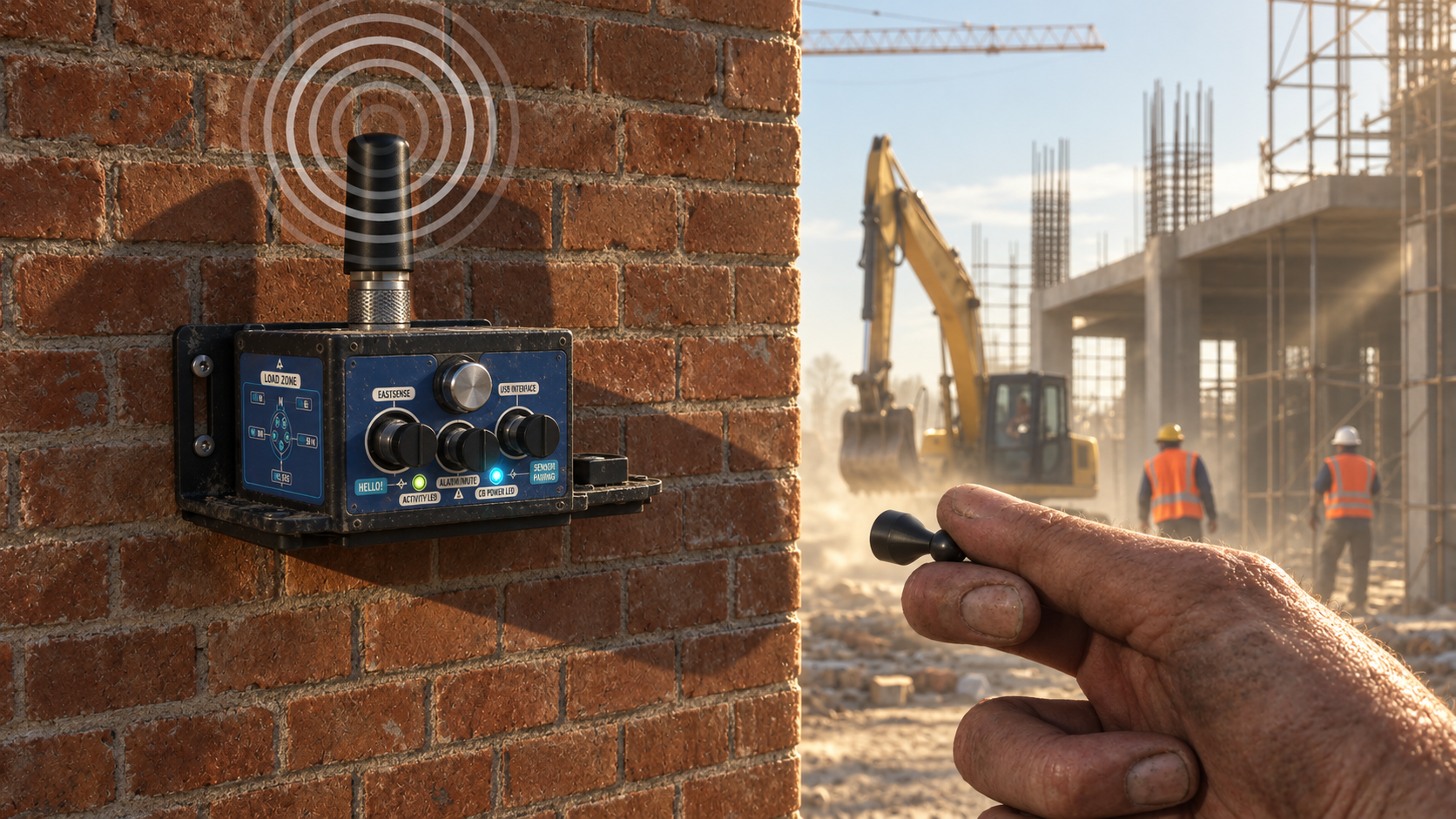
Magnet activation
To enable the sensor zeroing function, hold the magnet on the ‘Sensor Zeroing’ label for more than 10 s.
-
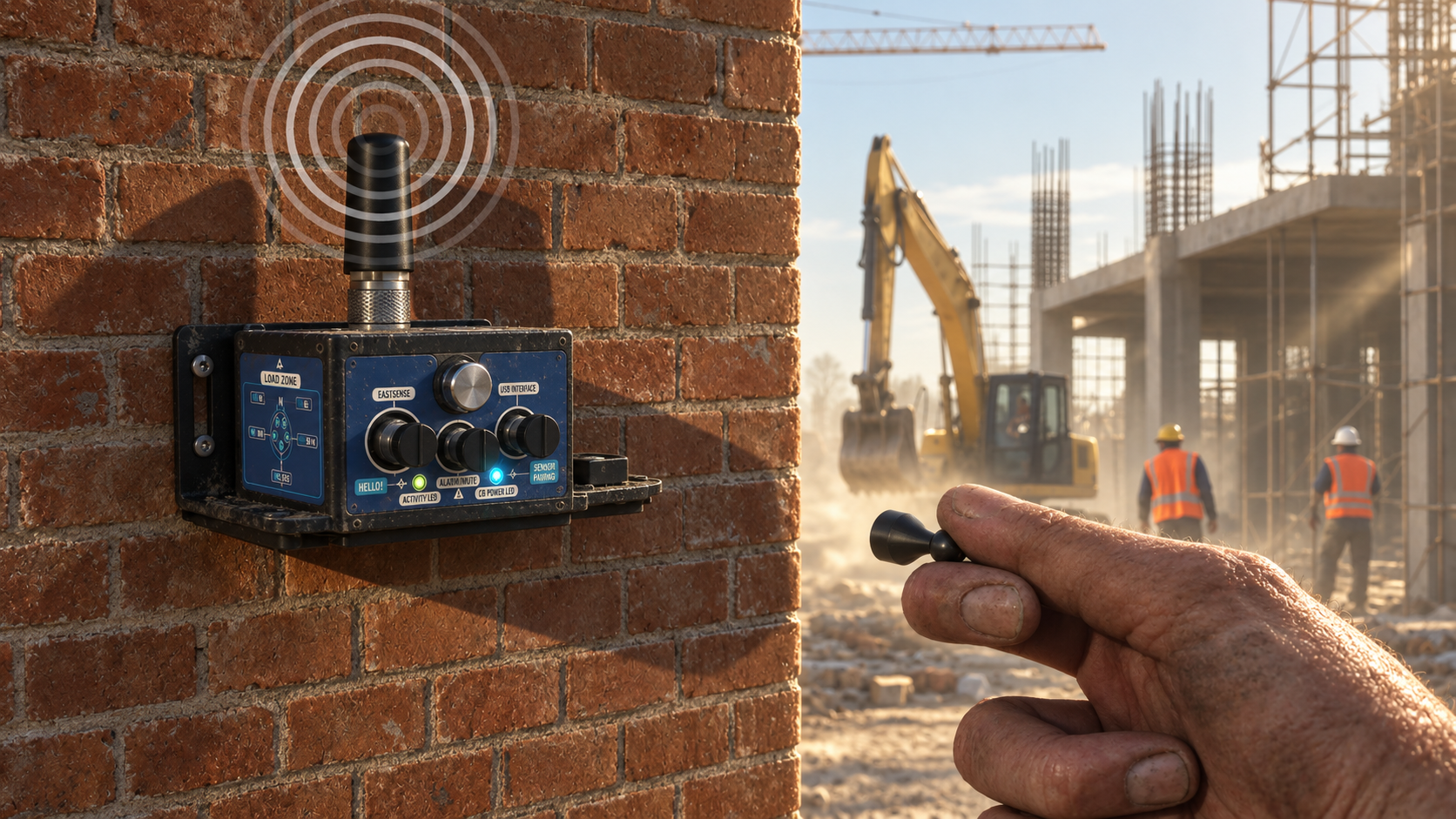
Zeroing in progress
The Activity LED blinks blue and the sensor zeroing starts on both X and Y axes. When the process is done, the Activity LED blinks blue again and a data measurement is transmitted to the LoRaWAN® network.
-
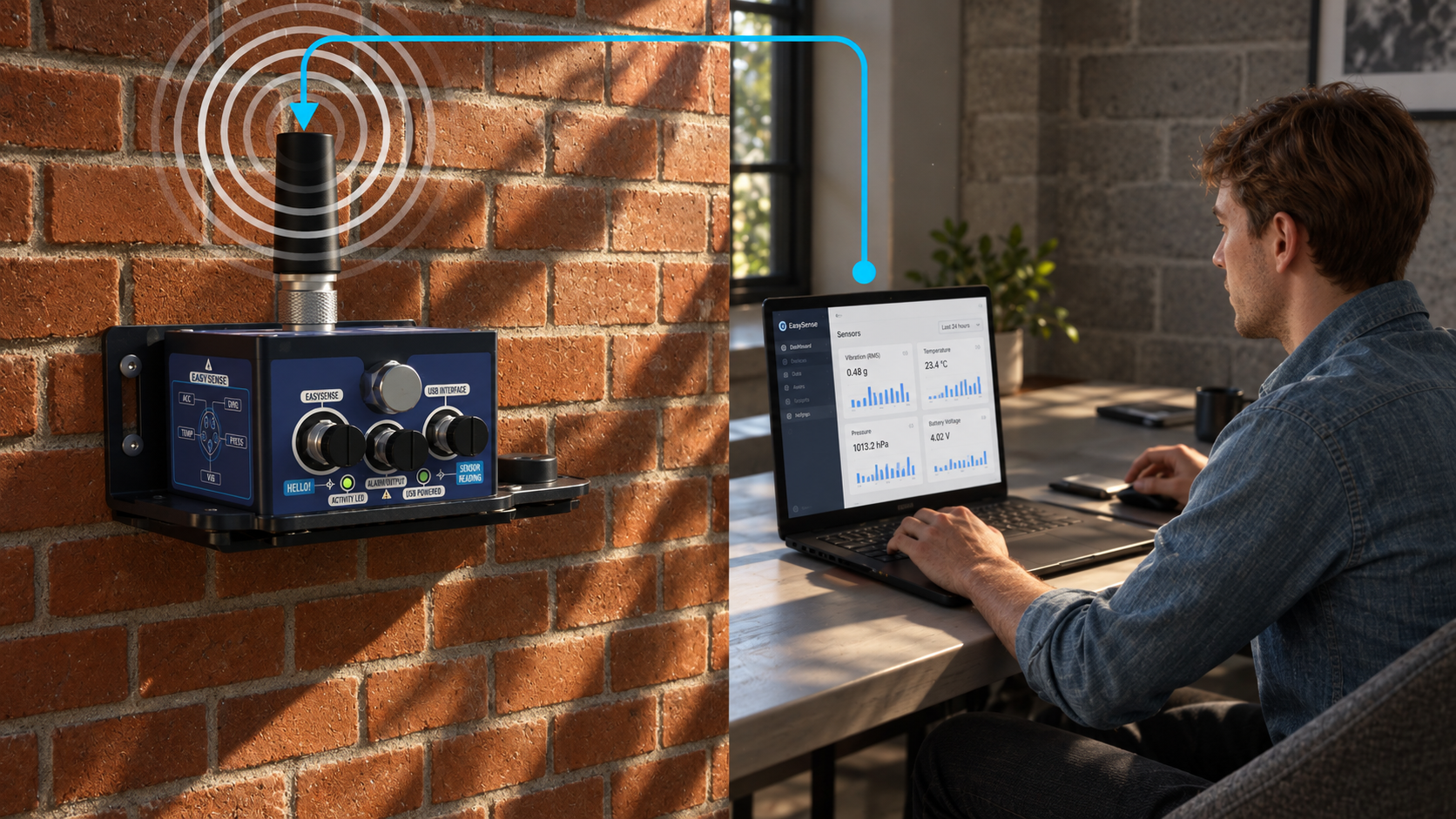
Remote zeroing
The sensor zeroing process can also be done remotely from the cloud software.

Batch Configuration
Fast & Seamless Deployment with Batch Configuration
-
Centralized Parameter Control:
Define all crucial settings—including LoRaWAN credentials, monitoring intervals, and individual alarm thresholds—in a single master file to instantly configure multiple sensors and eliminate human error.
-
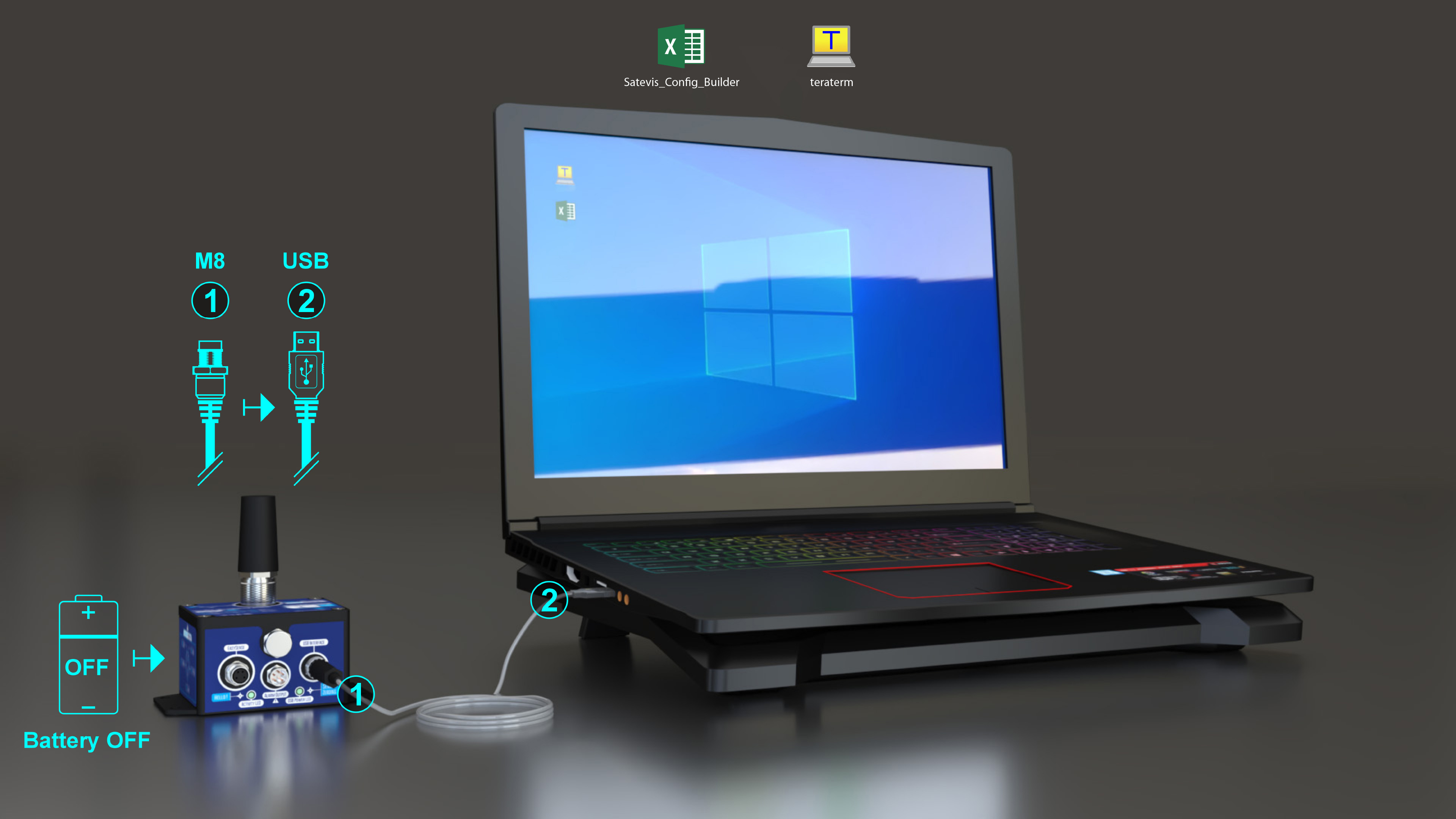
Quick & Free Deployment Process:
Generate your Text-based configuration by using our comprehensive Excel configuration tool. Then, simply connect your sensor via USB and upload the file in seconds using free, open-source Tera Term software.
FAQ & ANSWERS
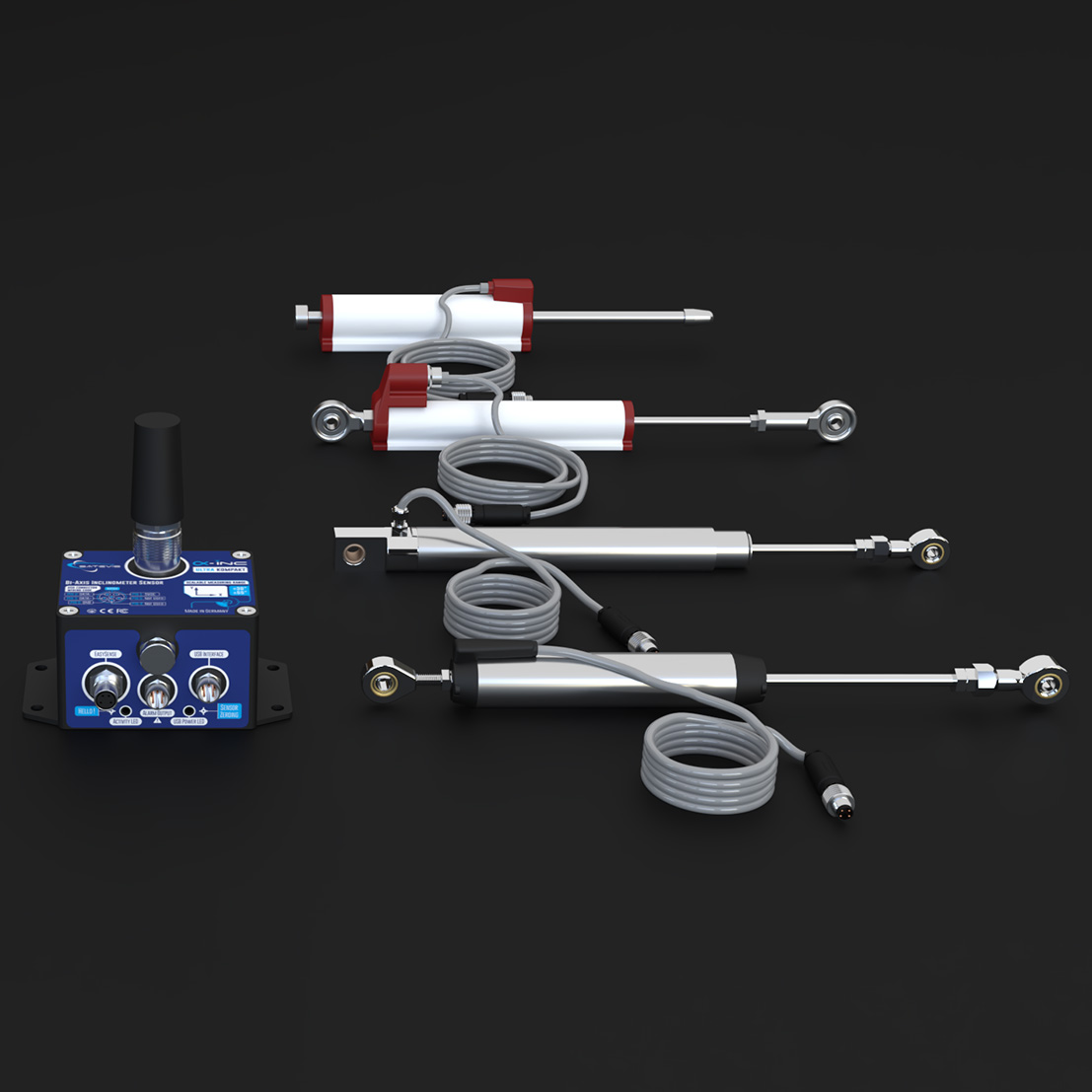
READY FOR SENSORS FUSION THANKS TO EASY-SENSE FUNCTION
Our hardware features seamless integration with external sensors through the Easy-Sense function, empowering users to connect sensor networks directly to their own AI models.
- Sensor type
- Calibration settings and calibration date
- Alarm threshold values Critical Severe Minor
- Sensor zero-offset and zero-offset date (if available)
This comprehensive integration enables precise prediction of potential damage, malfunctions, or failures in structures and equipment.
Discover our new Sensors with Easy-Sense function:
Define Your Own
Alarm Criteria
Customizable Alarm Thresholds
Set independent alarm thresholds for each measurement channel, with flexible AND/OR logic for complex triggering.
Three Alarm Levels
Define Critical (Highest), Severe, and Minor alarm levels to prioritize notifications and automate actions—such as email/SMS alerts or relay activation—based on alarm severity.
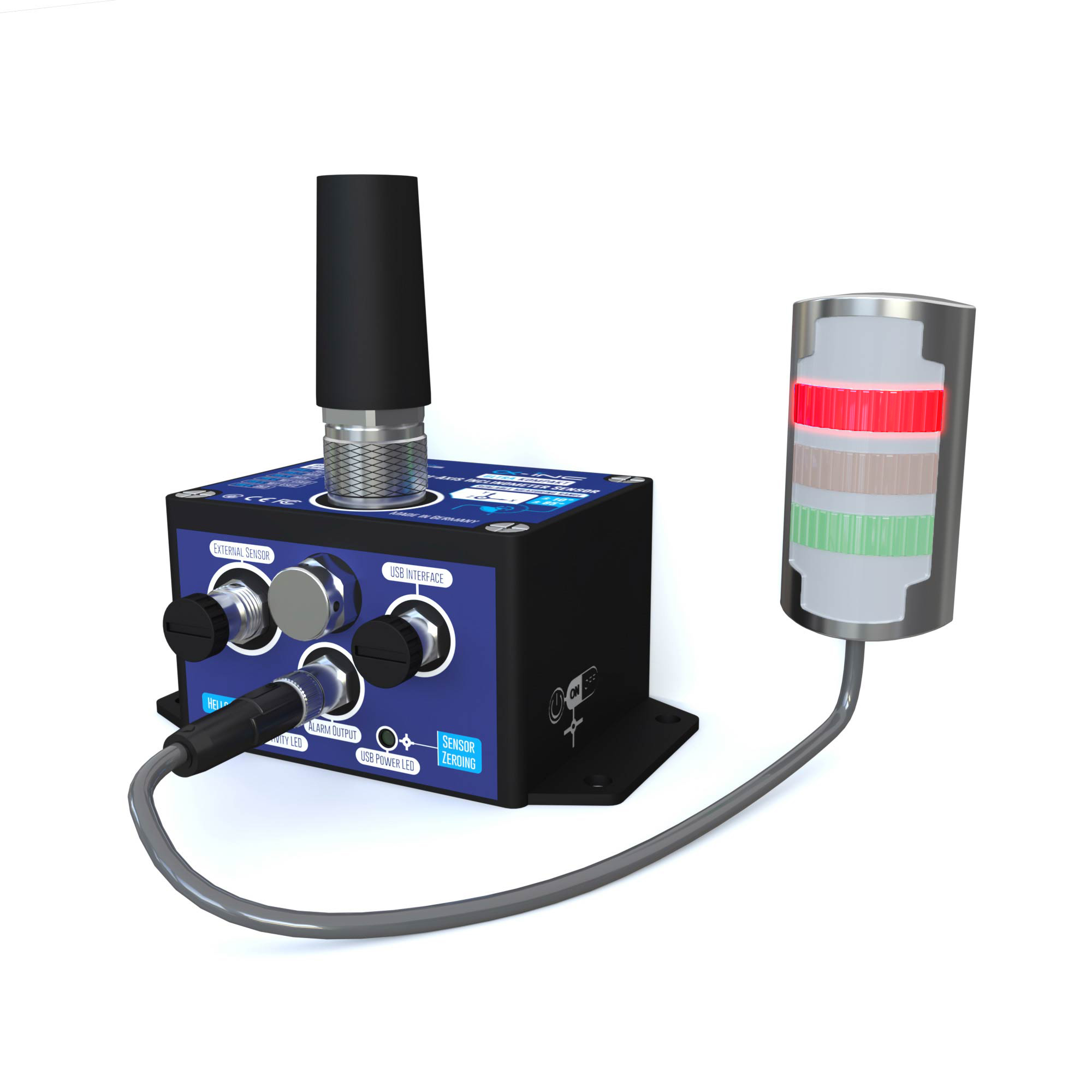
Satevis® Alpha-INC SK features an optional dry-contact alarm output for easy integration with external alarm systems, Programmatic Logic Controllers (PLCs), or Building Management Systems (BMS).
The dry-contact output supports three configurable alarm levels — Minor Severe Critical — based on user-defined sensor thresholds. This enables real-time monitoring and automated responses, improving operational efficiency while minimizing downtime.
FAQ & ANSWERS
FREQUENTLY ASKED QUESTIONS & TECHNICAL INSIGHTS
Find clear answers to common questions regarding sensor deployment, wireless protocol selection, and platform integration. Access expert guidance on battery autonomy, calibration procedures, and network architecture to streamline your installation.